
Offline Transcription
Meetings, interviews, and voice notes, turned into text right on your device. Nothing you record ever leaves your devices.
One hour free every week. Go unlimited for $0.99 a month, or $19.99 once.


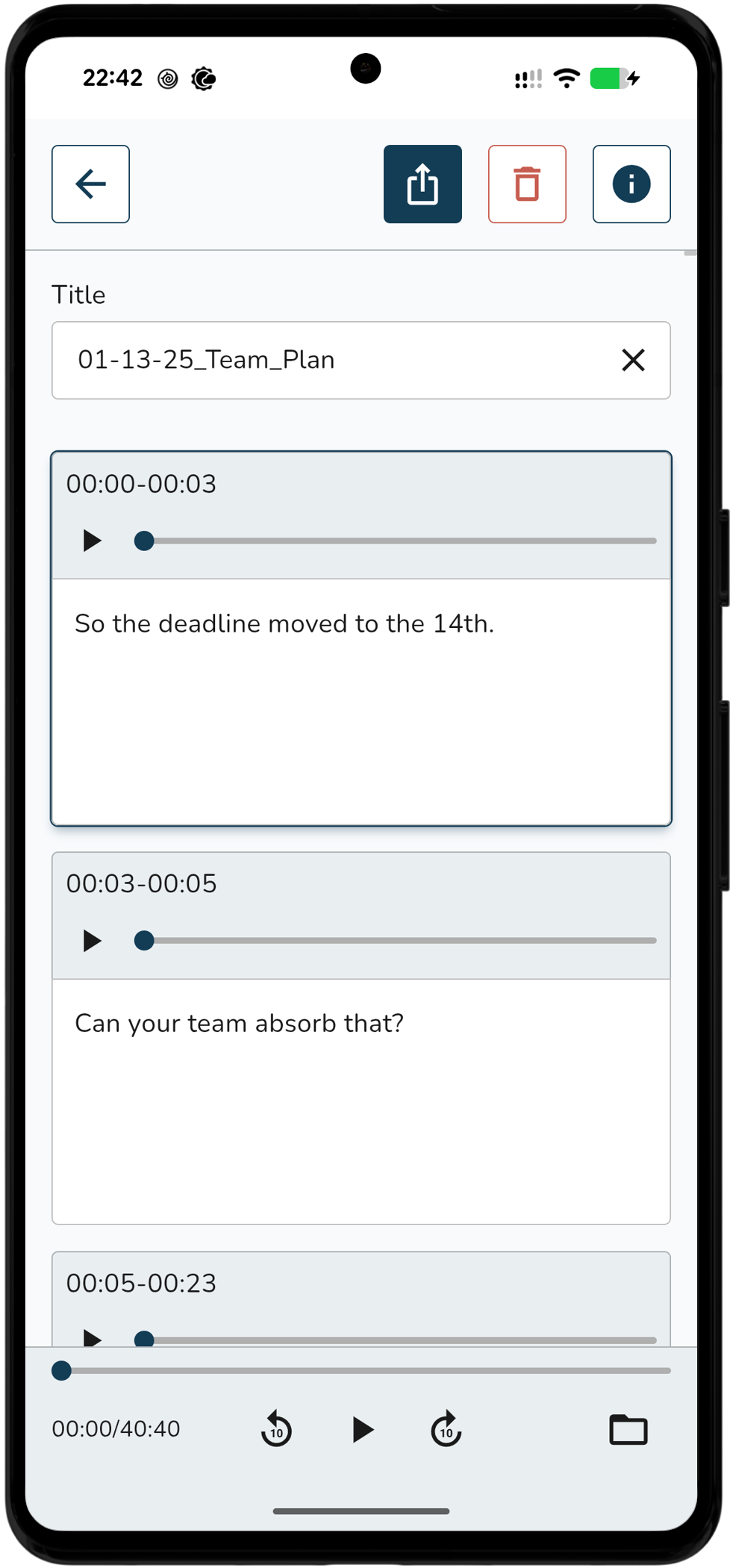
Press record and forget it's there.
Start recording and the words start arriving.
Already recorded? Bring it in.
Import audio and it turns into text in the background.
It also works on your computer.
Snug Transcribe runs fully on Windows, with every feature the phone app has. It is built for longer recordings and a bigger screen, so a laptop or desktop is a natural home for it.
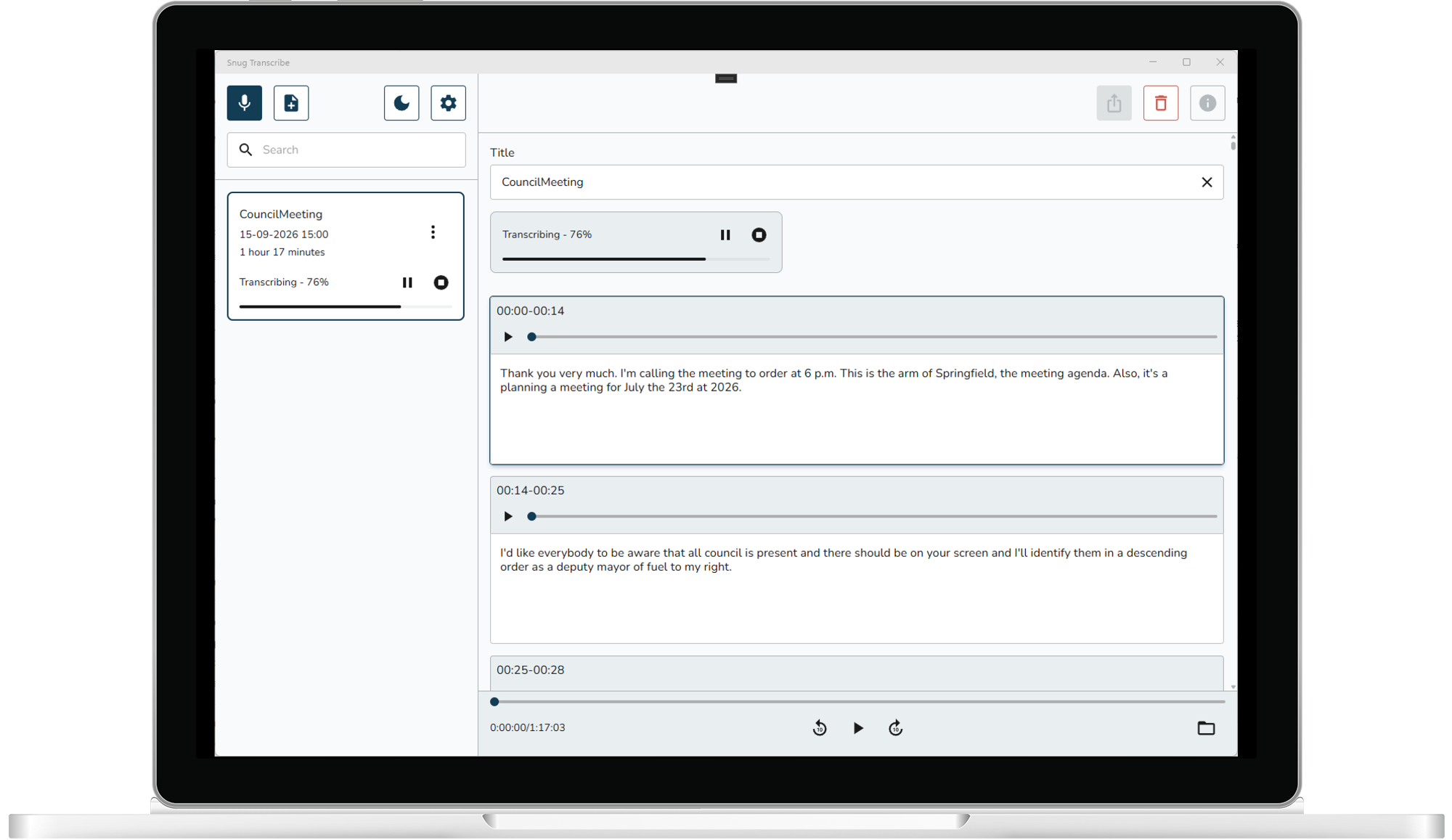
Let your computer do the heavy lifting.
Record on your phone and let a faster device you own do the transcribing. Link them once and they find each other on your local network and it just works. The audio goes straight from one of your devices to the other, encrypted. Never to a server and never to us.
Frequently Asked Questions
Does my audio really never leave my device?
It never goes to a server, and never to us. The speech model runs on the device itself, so there is no server to send anything to and no account to create. If you link your own devices, one can pass a recording to another over your local network to transcribe it, encrypted, and it still never leaves the devices you own. Otherwise, switch on airplane mode and Snug Transcribe works exactly the same as it did a minute ago.
Why does it need internet at all?
Once, at the very start, to download the speech model, 181 MB for Small or 547 MB for Large, and Snug Transcribe recommends the right one for your device. It downloads over Wi-Fi only unless you say otherwise, so it won't touch your data plan. After that you can stay offline forever: nothing is fetched, nothing is sent, and no part of what you record is ever seen by anyone but you.
How accurate is it?
Very good on clear speech, one person at a time, phone reasonably close. It gets less certain with crosstalk, heavy background noise, or a voice far from the mic, the same as any transcription would. There are two speech models: a fast one that's on by default, and a larger, more accurate one you can switch to when the recording matters.
How long does transcription take?
Usually longer than the recording itself, because your device is doing all the work instead of a data centre. Laptops and PCs will be faster than phones. That's the trade for keeping everything private. It runs in the background while you use other apps.
Can my PC do the work for my phone?
Yes. Link your devices and a recording made on your phone can be handed to a faster one, like your PC, to transcribe. They talk directly over your local network, encrypted, so nothing goes to a server or to us. You can even start a recording on your phone and move it to your PC while it is still running.
What's free, and what does Unlimited cost?
One hour of transcription every week, free forever. No account and no card. Unlimited removes the limit: $0.99 a month, or $19.99 once. The monthly subscription starts with a free first week. Both unlock exactly the same thing. A few months at a dollar is an easy way to try it before deciding to buy it once.
Can I get rid of the audio and keep just the text?
Yes. There's a setting that deletes each recording the moment its transcript is finished. The words stay in your library, the audio stops existing. It's the strongest privacy option in the app, and worth turning on if you record anything sensitive.
Stay in the loop
Sign up to receive very occasional updates about Snug Transcribe.